

SEO Change Monitoring: get alerted the moment a page changes
Free, SEO-aware page change monitoring. RankNibbler snapshots a page on a schedule and alerts you when something that actually matters for rankings changes — a page going noindex, a canonical flipping, a title or H1 vanishing, schema disappearing, content or prices changing. Not just "a pixel moved." And you can describe, in plain English, exactly what you want it to watch for.
What SEO change monitoring actually watches
Generic change monitors diff the pixels or the raw text. This one understands the page as a search engine does, so a change tells you something useful. On every check it compares:
- Indexing directive — a noindex ↔ index flip, the silent regression that quietly drops a page from Google.
- Canonical URL — a changed or removed rel=canonical.
- Title & meta description — edits, truncation or removal.
- H1 and the full heading outline (H1–H6) — a lost or rewritten heading.
- Structured data — schema types added or removed (e.g. losing your Product or FAQ markup).
- HTTP status — a page that starts returning a 4xx/5xx or redirecting.
- Internal & external links — and crucially, which links were added or removed, not just a count.
- Content — body text, word count and a near-duplicate check, so a rewrite or a chunk of removed copy shows up.
- Images & Open Graph tags — added/removed images and changed share previews.
- Prices — currency amounts on the page, for competitor and product-page watching.
Catch SEO regressions before your rankings drop
Most ranking losses aren't a mystery algorithm update — they're a change on your own site: a CMS edit, a template tweak or a deploy that quietly broke something. A page gets republished as noindex. A migration rewrites a canonical. A redesign drops the H1 or half the copy. By the time it shows up in your rank tracking, you've already lost traffic.
That's the difference between rank tracking and change monitoring: rank tracking shows the symptom (your position moved), change monitoring shows the cause (what changed on the page). Watch your most important pages and you'll catch the harmful edit the day it ships — and be able to reverse it before Google re-crawls.
Get alerted if a page goes noindex or its canonical changes
These two are the quiet killers, and they're exactly what generic monitors miss. A single accidental noindex can deindex a page; a wrong canonical can hand your rankings to another URL. RankNibbler treats both as first-class signals — when one flips, it's flagged clearly, with the before and after, so you know immediately rather than weeks later.
Monitor a competitor's pricing page or content
Point it at a competitor's URL and you've got a quiet watch on their moves. Because it reads currency amounts and content (not just an image of the page), it surfaces a price change, a new pricing tier, reworded positioning or a fresh section — the moment they publish it. Add their pricing, product or landing pages and let the change come to you.
Tell it what to watch for, in plain English
You don't have to wade through every minor edit. Add an optional note describing what matters — for example "price changes, a new pricing tier, or the H1 or title changing" — and the Smart Monitor uses it to flag the changes you care about and quieten the noise. No rules to configure, no CSS selectors to pick; just say it.
See exactly what changed
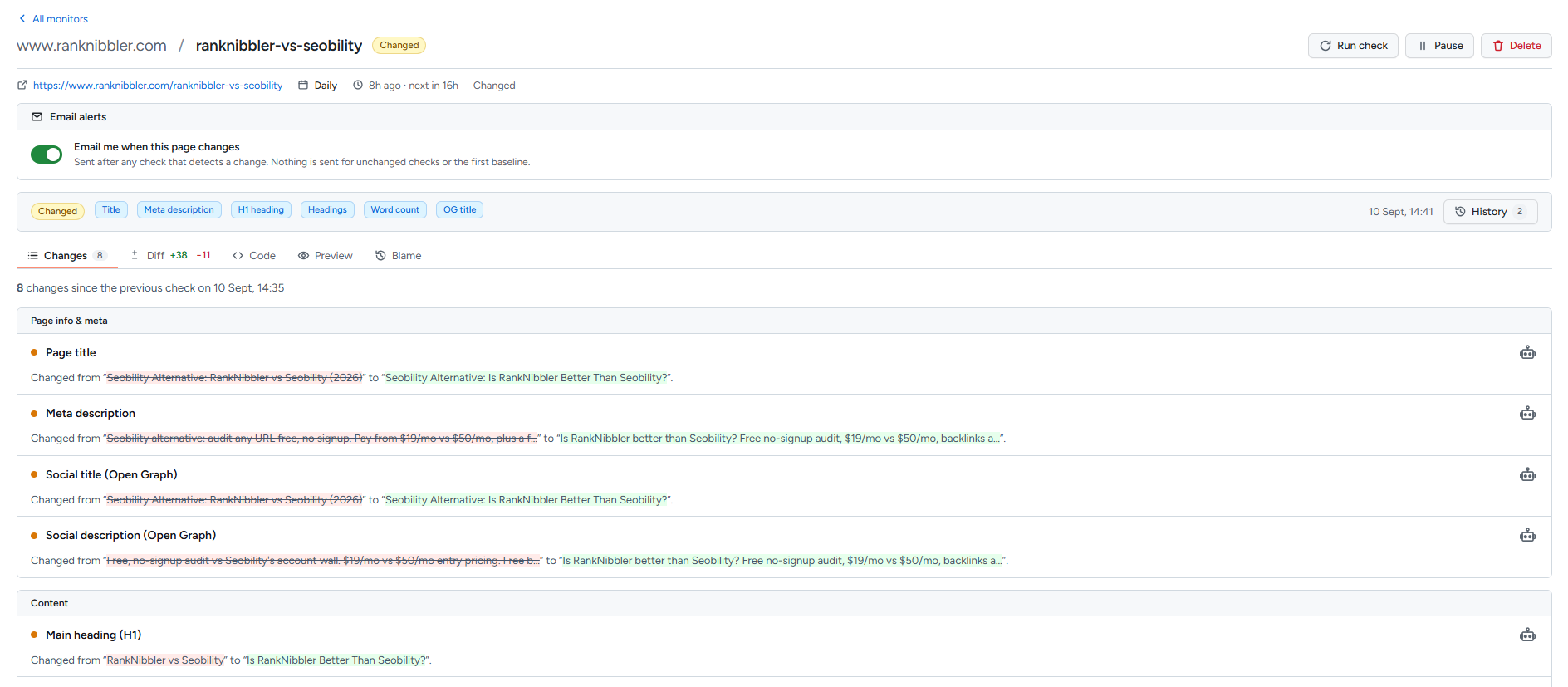
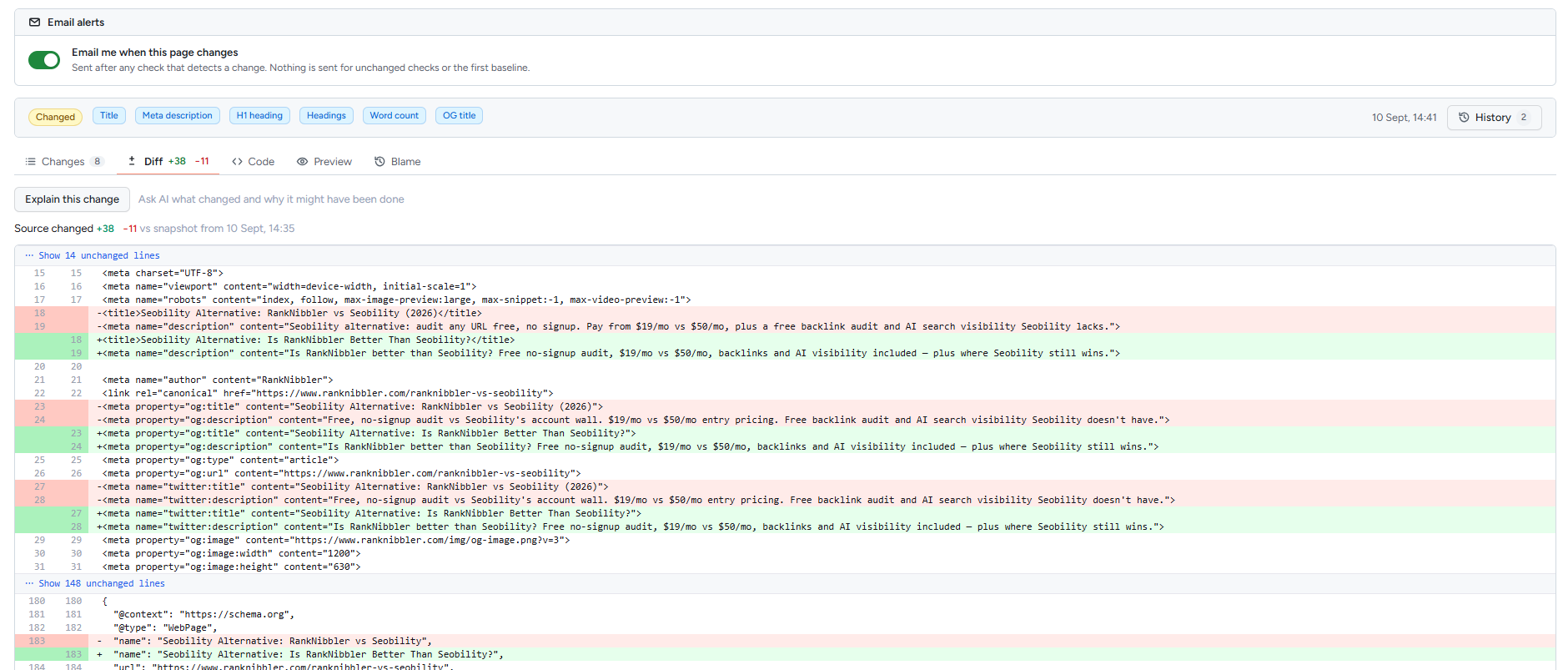
Every change is shown two ways, so you can skim or dig in:
- A plain-English "what changed" summary with category badges — Title, Price, H1, Structured data, Indexing directive, Body text — and the before/after values.
- A line-by-line source diff — the HTML, line by line, with additions and removals highlighted, for when you need the exact edit.
Every check is kept — not just the recent ones
Most change monitors expire your history. They keep the last handful of changes, or the last thirty days, and quietly drop the rest. That is fine until the question you actually have is "when did this page stop mentioning our main keyword?" — and the answer is six months back, in a check that no longer exists.
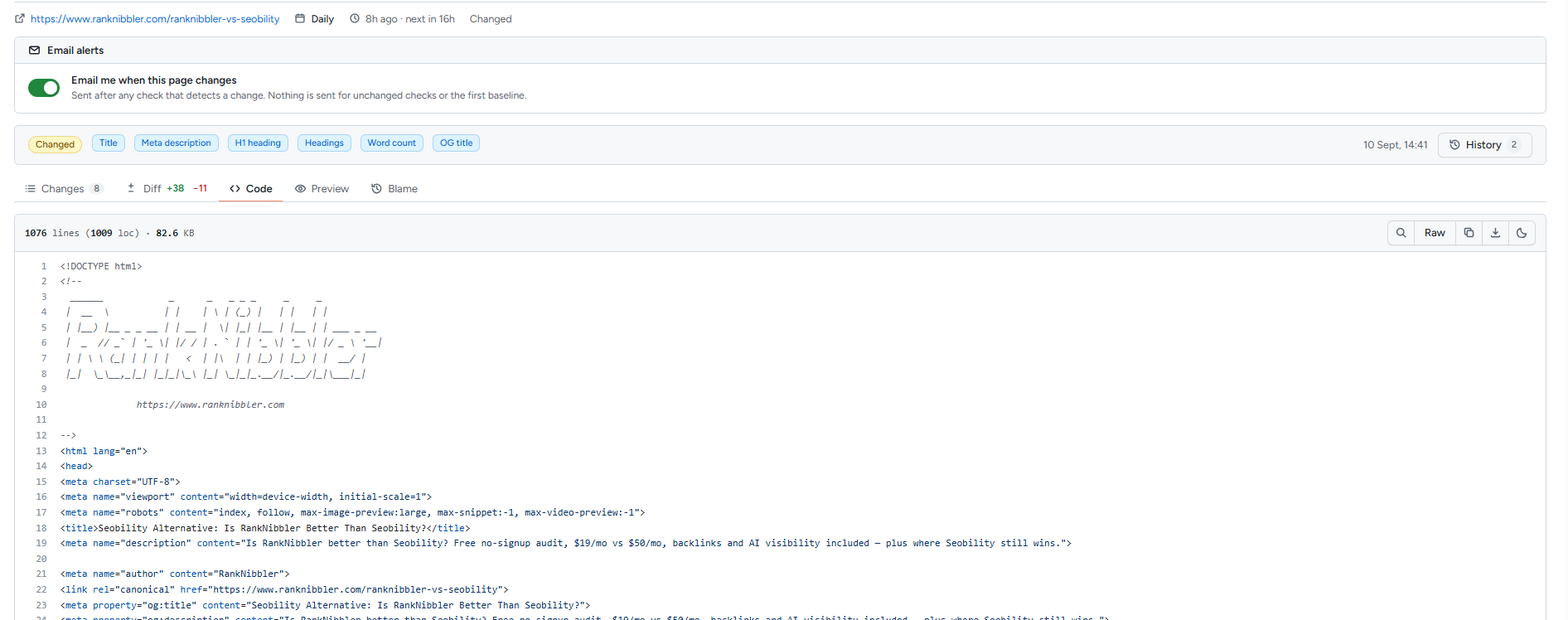
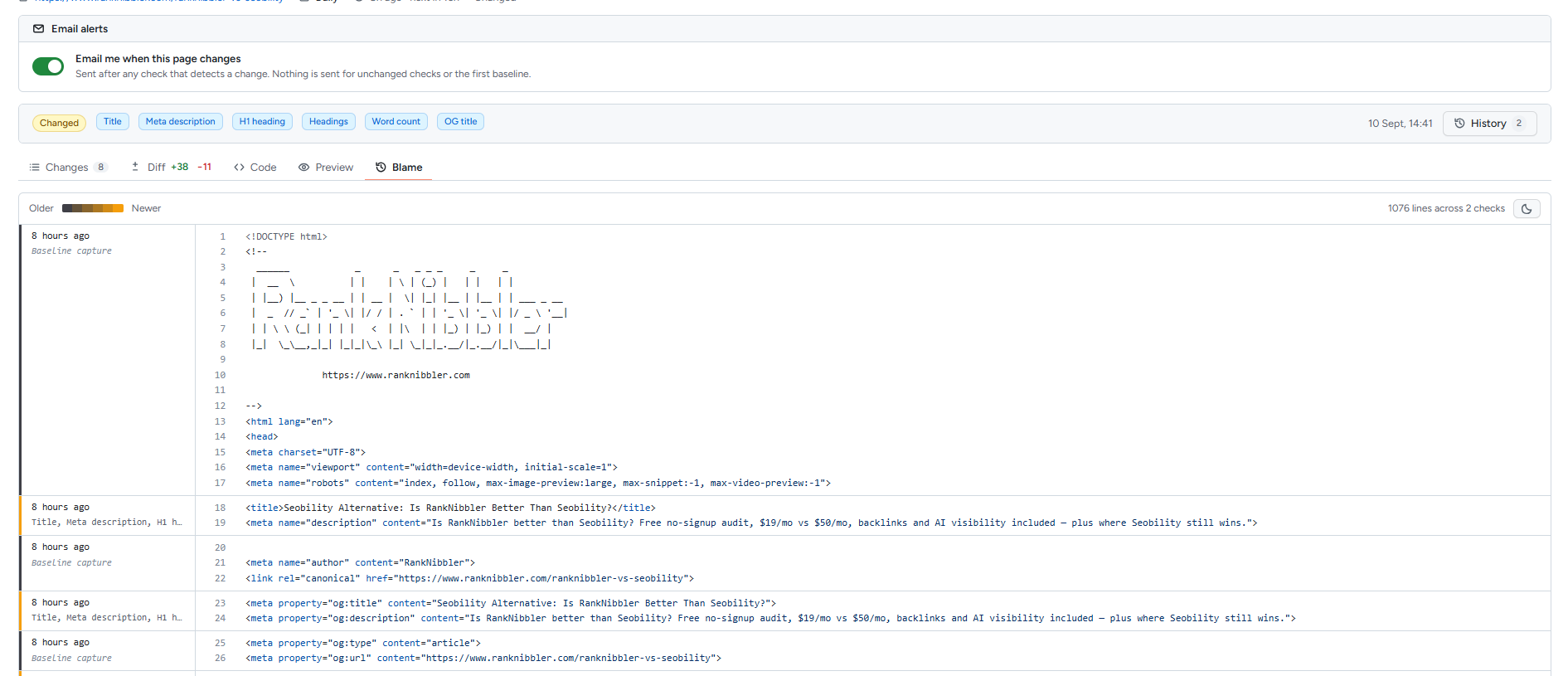
RankNibbler keeps every snapshot of every check, with the full page source, for as long as the monitor exists. That is what makes the two views below possible:
- Blame — every line of the page attributed to the check that last altered it, with the date and which fields moved. The same idea as a version-control blame, except the author is a point in time rather than a person. It answers "when did this line appear?" without you knowing which check to open.
- Any check, rendered — because the source was stored, not just a summary of it, you can open a page as it stood on a given day and look at it, not read about it.
There is no history tier and nothing to upgrade for. A monitor you set up today will still be able to answer a question you think to ask next year.
How to set up a change monitor
It takes about a minute:
1. Add the page URL
Paste the URL you want to watch — one of your own important pages, or a competitor's.
2. Choose how often to check it
Pick a check frequency: daily on the free tier, more often on paid plans.
3. Describe what to watch for (optional)
In plain English, say what matters — e.g. price changes, a new pricing tier, or the title changing. The Smart Monitor uses it to highlight the changes you care about.
4. Get alerted when it changes
When the page changes, you get the plain-English summary with badges and the source diff — so you see exactly what changed, and whether it matters.
How often does it check?
Each monitor runs on its own schedule. The free tier checks daily, which is plenty for catching accidental SEO regressions and competitor updates; paid plans check more frequently for pages that move fast.
Frequently asked questions
How do I monitor a web page for changes?
Add the URL; RankNibbler snapshots it on a schedule and alerts you on any change, with a plain-English summary plus a source diff.
Can I get an alert if a page goes noindex?
Yes — it watches the indexing directive and flags any noindex/index flip, the kind of silent regression that quietly drops a page from Google.
What's the difference between SEO change monitoring and rank tracking?
Rank tracking shows the result (your position moved); change monitoring shows the cause (a title, canonical, content or schema change). Use both together.
Does changing a page hurt SEO?
It can. Editing titles, H1s, content or canonicals on a ranking page risks its rankings, so monitoring lets you spot and reverse a harmful edit fast.
How do I track a competitor's pricing page?
Add their pricing URL and get alerted on price changes, new tiers or copy edits — RankNibbler reads the currency amounts and content on the page, not just pixels.
How often does it check for changes?
It's configurable — daily on the free tier, and more frequently on paid plans.
Can I see exactly what changed?
Yes — a what-changed summary with badges (Title, Price, H1, Schema, Indexing) plus a line-by-line diff of the HTML source.
How long is change history kept?
Indefinitely. Every check keeps a full snapshot of the page source for as long as the monitor exists, so you can open any past version, diff any two checks, and see which check last altered any given line. There is no history tier and no expiry.
Is website change monitoring free?
Yes — it's part of RankNibbler's free SEO suite, with no paywall on the core monitor.
Start monitoring a page
It's free, and it sits alongside the rest of your SEO tools.