

SEO audit browser extension
Run a complete on-page SEO check on any page straight from your toolbar. The RankNibbler extension scores the page out of 100 across 83 checks and shows exactly what to fix, with no sign-up and nothing leaving your browser. It works in both Google Chrome and Microsoft Edge.
What it checks
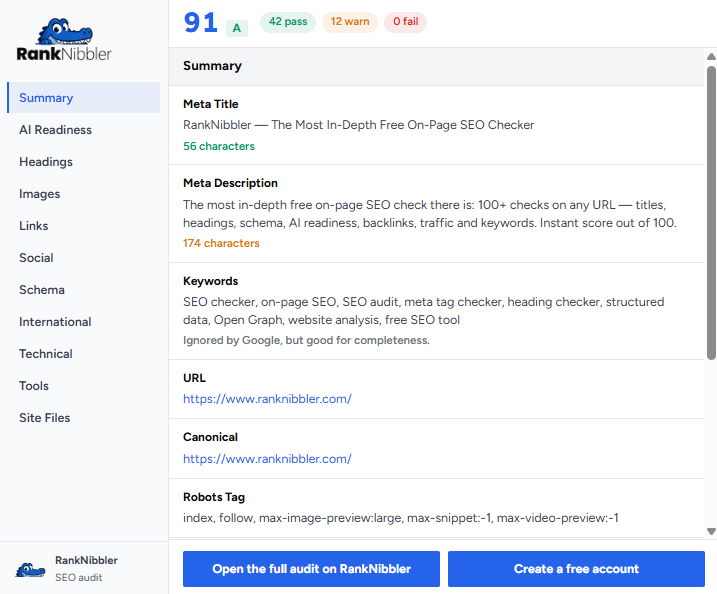
Click the icon and the extension audits the current page in place. You get an instant SEO score out of 100, backed by 83 individual on-page checks grouped into clear, tabbed sections. Every check comes with a plain explanation of what passed, what failed, and how to fix it.
Because it reads the page you are already on, the audit reflects the real, rendered HTML — including content added by JavaScript — so what you see is what search engines see.
The tabs
The report is organised into tabs so you can move straight to the area you care about:
- Overview — your overall SEO score and a summary of every issue found.
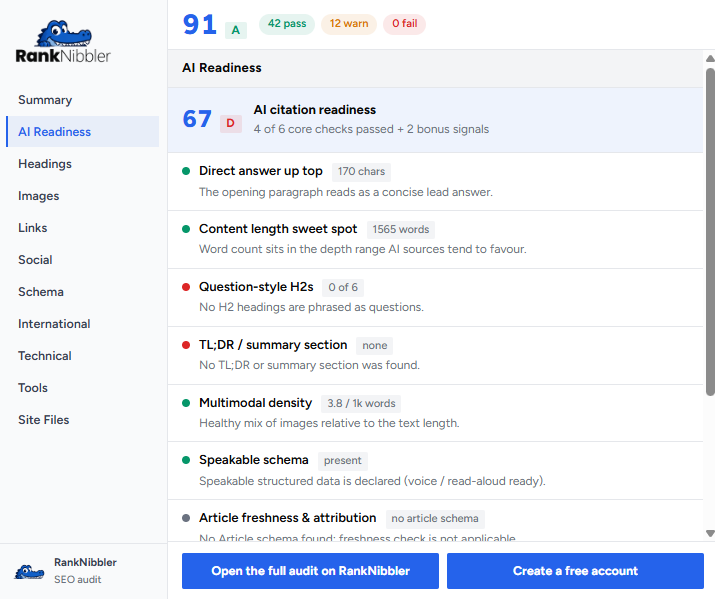
- AI Readiness — how well the page is structured for AI search and answer engines.
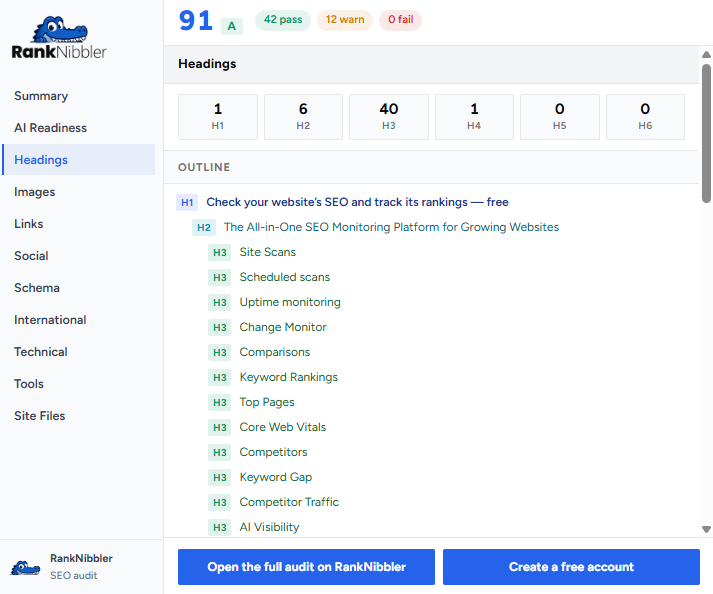
- Headings — H1 to H6 structure, order, and duplication.
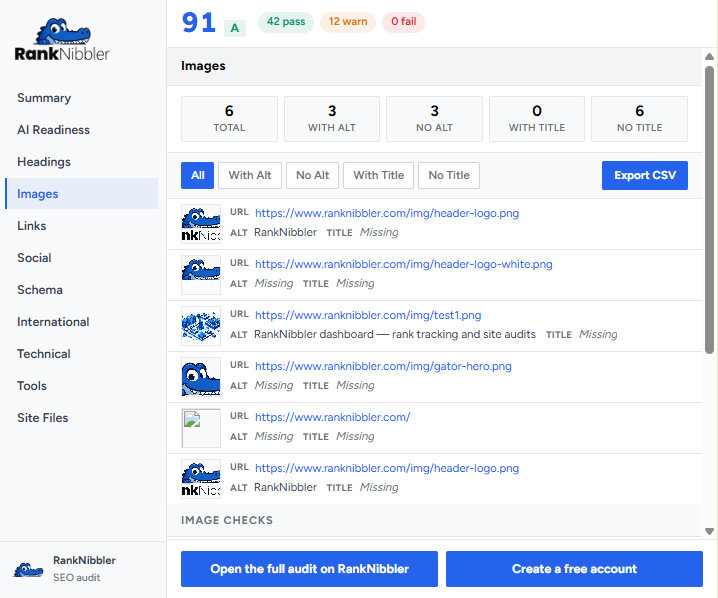
- Images — alt text, file sizes, and missing attributes.
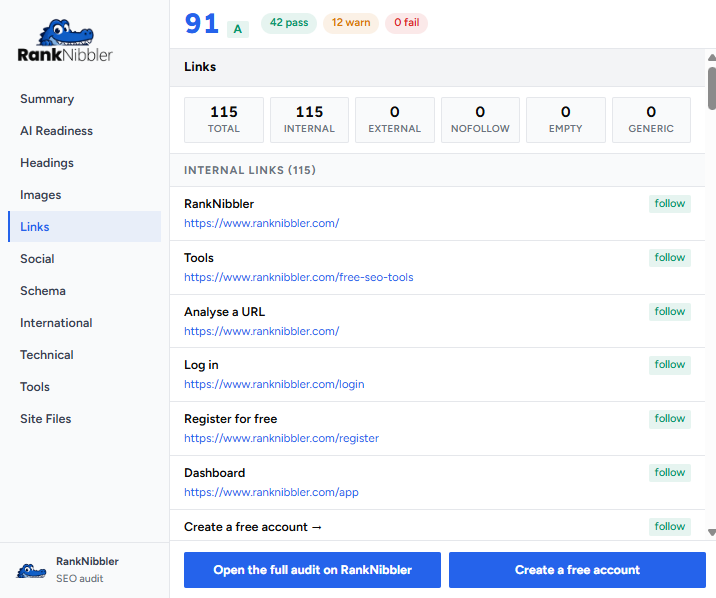
- Links — internal and external links, nofollow, and broken targets.
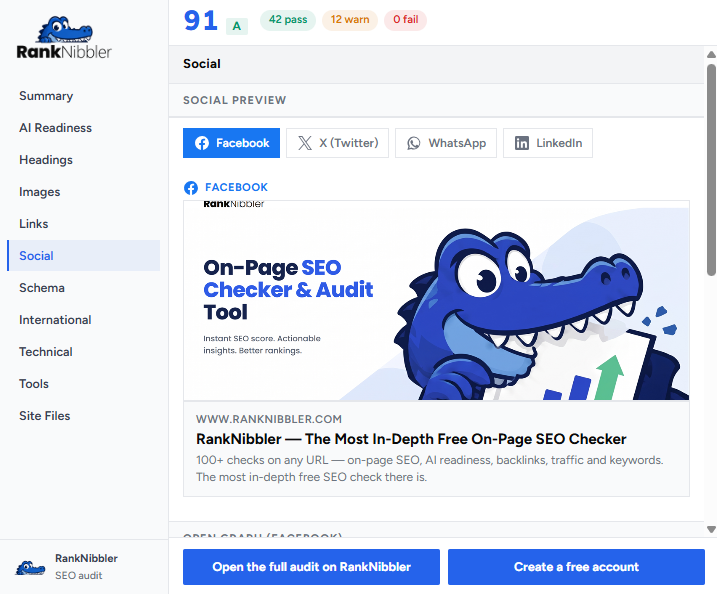
- Social share previews — how the page looks when shared, from Open Graph and Twitter tags.
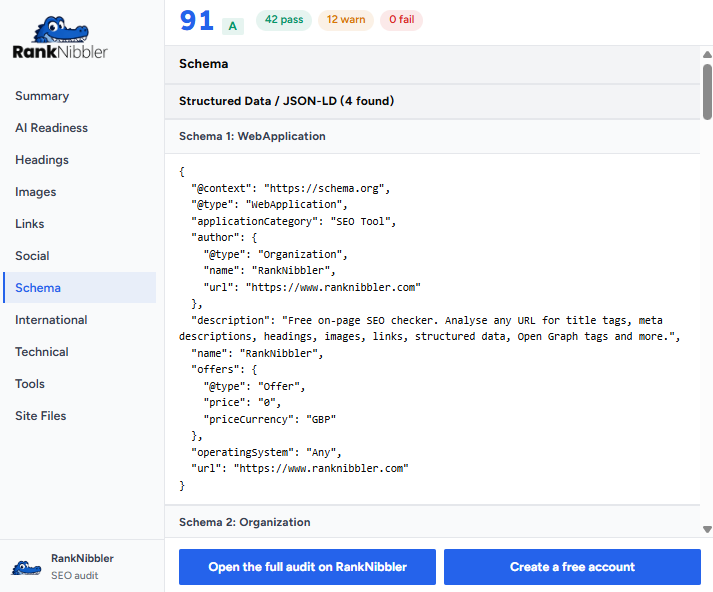
- Schema / JSON-LD — structured data found on the page and its types.
- International / hreflang — language and region targeting tags.
- Technical — canonical, robots, viewport, lang, and other technical signals.
- Tools — quick utilities for the page you are auditing.
- Site Files — robots.txt, sitemap, and other key files for the site.
Private by design
The audit runs locally in your browser. There is no sign-up, and no page content or browsing history is sent anywhere. You stay in control of your data while you work. Read the full extension privacy details.
How it works
- Install the extension from the Chrome Web Store — it works in Chrome and Edge.
- Open any page you want to check.
- Click the RankNibbler icon in your toolbar for an instant audit.
A look inside
Each tab gives you a focused, readable view of one part of your on-page SEO.
Start auditing in seconds
Install the free extension and run your first audit straight from the toolbar. Want projects, scheduled audits, and monitoring too? Create a free account.
Frequently asked questions
Is the RankNibbler SEO audit extension free?
Yes. The extension is free to install and use, with no daily limits and no premium tier. You can run an unlimited number of on-page SEO audits without paying or signing up.
Does the extension work on both Chrome and Edge?
Yes. The extension installs from the Chrome Web Store and works in Google Chrome and Microsoft Edge, as well as other Chromium-based browsers such as Brave and Opera.
Do I need a RankNibbler account to use the extension?
No. The extension runs entirely in your browser and needs no account. A free RankNibbler account is optional and unlocks dashboard features such as projects, scheduled audits, and uptime monitoring.
Does the extension send my browsing data anywhere?
No. The audit runs locally on the page you are viewing. No page content or browsing history is sent to a server. You can read more on the extension privacy page.
What does the extension check?
It runs 83 on-page SEO checks and returns an instant score, covering titles and meta tags, headings, images and alt text, links, social share previews, structured data, hreflang, technical signals, and site files such as robots.txt and the sitemap.
How do I run an audit?
Install the extension, open any page, then click the RankNibbler icon in your toolbar. The audit runs instantly and shows your score and findings across the tabbed report.